

You open your Google Ads account and you see the numbers staring back at you. The budget you set is gone. The leads are few. The sales are flat. At this point you start wondering if the platform still works for your business, and honestly you are not alone in that feeling.
But here is a truth that might surprise you. Google Ads are not broken. What changed is the underlying system. Artificial intelligence now controls how auctions run, how bids are placed, and how your ads match with searches. If you have not updated your approach in the last 12 months, you are almost certainly paying more than you should.
This guide covers 10 reasons your costs are higher than they need to be, along with clear fixes for each one. By the end you will have a practical plan to improve your account efficiency, lower your costs, and get more value from every dollar you spend.
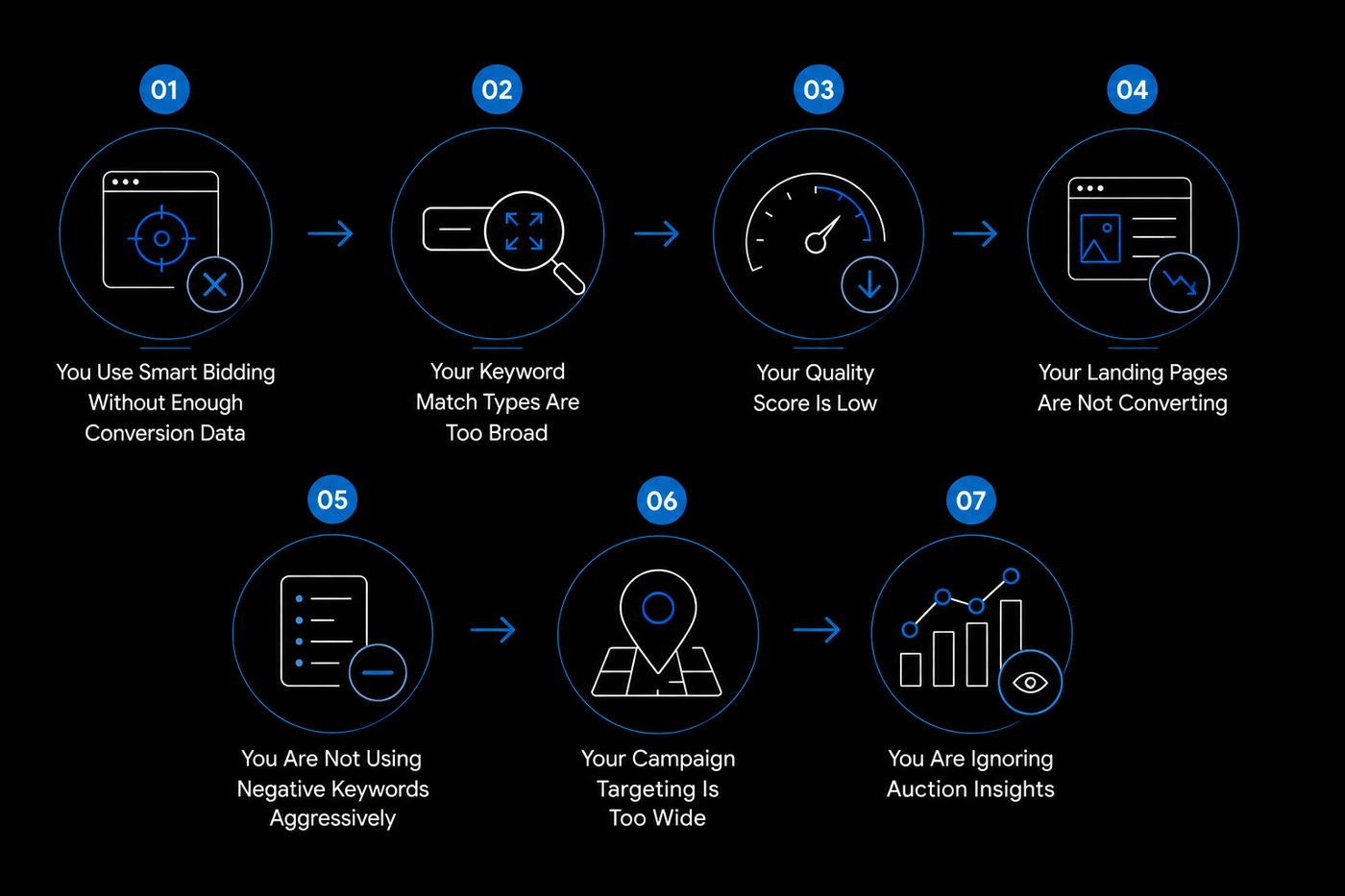
Reason 1: You Use Smart Bidding Without Enough Conversion Data
Automated bidding strategies like Target CPA, Target ROAS, Maximize Conversions, and Maximize Conversion Value promise to simplify your life. You set a goal, let the machine learning handle bid optimization, and watch the results come in.
But there is a fundamental requirement that many advertisers miss. These algorithms need reliable conversion signals, and they need a lot of them before they can make good decisions.
When you have fewer than thirty conversions per month per campaign, the artificial intelligence cannot distinguish between a good conversion and a bad one.
It lacks the pattern recognition to know which clicks actually drive value. So it experiments. It tests different search queries, different placements, and different audience signals while charging you for each test. This is how conversion lag and incomplete data combine to drive up your cost per acquisition.
Poor conversion tracking leads to poor bidding decisions. If you have not set up Enhanced Conversions or offline conversion imports, your Smart Bidding is flying blind.
The fix: Use manual CPC bidding until you have at least fifty conversions in a thirty day window. Then introduce Smart Bidding with conservative targets. Make sure your conversion tracking is accurate first, because the algorithm can only optimize for what it can measure.
Reason 2: Your Keyword Match Types Are Too Broad
Google has expanded how match types work in recent years. Broad match now draws on search intent, landing page content, and account history to find related queries. Phrase match includes close variants and paraphrases.
This means your ads can trigger searches that are only loosely connected to your actual offering.
Consider this scenario. You bid on "Google Ads management" using broad matches. Someone searches "how to cancel Google Ads account" and your ad appears. That person is not in the market for your service, but you pay for the click anyway. Broad match prioritizes reach, but your business needs relevance.
When these two priorities conflict, you end up with irrelevant clicks that drain your budget without any chance of conversion.
We saw this play out with a cosmetics and skin care client who was running broad matches on their product keywords. Their search terms report showed that forty percent of clicks were coming from people searching for DIY beauty recipes and free samples.
After switching to exact match and building a targeted negative keyword list, their cost per click dropped by 28% in the first month.
The fix: Use broad match only when you have reliable conversion data and a comprehensive negative keyword list. For newer campaigns, exact match and phrase match give you better control.
Check your search terms report weekly and add irrelevant queries as negatives. This habit alone can significantly reduce your cost per click over time.
Reason 3: Your Quality Score Is Low
Quality Score is one of the most direct influences on your cost per click. Google rewards ads that demonstrate high relevance with better positions and lower costs.
When your ad closely matches what someone is searching for and your landing page delivers on that promise, you pay less than competitors who are less relevant.
Three components determine your Quality Score: expected click through rate, ad relevance, and landing page experience. A weakness in any of these areas lowers your score and increases your costs.
This is why advertisers with scores below 7 consistently pay more than those with scores of 8 or higher.
A higher Quality Score improves your Ad Rank, which means you can achieve better positions at lower bids. A low Quality Score forces you to bid higher just to maintain visibility, which drives up your average CPC regardless of your budget.
You might be wondering if improving Quality Score is worth the effort. Based on what we have seen across dozens of accounts, the answer is a clear yes.
A luxury luggage client came to us with an average Quality Score of 5.4 across their campaign. Their cost per click was $3.80 and they were losing impression share to competitors. After restructuring their ad groups and rewriting their ads to match keyword intent, their average Quality Score climbed to 8.1 over six weeks.
Their cost per click dropped to $2.50, and their impression share increased by 32% percent.
The fix: Structure your account with small, tightly themed ad groups of ten to fifteen keywords each. Write ads that include your target keywords in headlines and descriptions. Build dedicated landing pages that match the promise of each ad.
Monitor your Quality Score column and prioritize improvements for any keyword scoring below 7.
Reason 4: Your Landing Pages Are Not Converting
You can optimize your keywords, your ads, and your bids to perfection. But if your landing page fails to convert visitors, your cost per acquisition will remain high regardless of your other efforts.
Google's algorithms now optimize for conversion rate, not just clicks.
A page that loads slowly, presents confusing options, or fails to match the ad's promise signals to Google that you are a poor converter.
This is why many advertisers see traffic but no sales. The landing page experience breaks the chain between the click and the conversion.
When your bounce rate is high and your conversion rate is low, Google adjusts by charging more for your clicks because it has learned that your account produces fewer conversions per visit.
Landing page experience is one of the three components of Quality Score, which means a poor page directly increases your CPC through two separate mechanisms: lower scores and worse conversion rates.
The fix: Ensure your landing pages load in under two seconds on mobile. Remove navigation links that distract from the primary action. Match your page headline to your ad headline. Include one clear call to action with a simple form. Test variations regularly and keep what works.
Reason 5: You Are Not Using Negative Keywords Aggressively
Negative keywords are the simplest tool for reducing wasted spend, yet they remain one of the most underutilized features in Google Ads. Without them, your ads can appear for searches that have no commercial intent.
Someone looking for a free template, a tutorial, or a competitor's product can trigger your ad, and you pay for that click even though it will never convert.
Every irrelevant query you block is money you do not spend. A well maintained negative keyword list acts as a filter that protects your budget from low intent traffic.
The fix: Build your negative keyword list before you launch any campaign. Use your search terms report to find irrelevant queries and add them as negatives. Repeat this process weekly.
Over time, your list will grow to hundreds of terms and your wasted spend will shrink accordingly.
Reason 6: Your Campaign Targeting Is Too Wide
Many advertisers set their targeting to “all locations” or “all devices” without thinking. This opens the door to clicks from people who can never become your customers. If you sell local services in Austin, Texas, your ad showing to someone in Miami is pure waste.
Narrower targeting means fewer irrelevant clicks, which means lower wasted spend and better conversion rates. This is particularly important for small and medium businesses thatcannot afford to waste budget on unqualified traffic.
The fix: Set your location targeting to the specific areas you actually serve. Exclude locations where you cannot deliver. Adjust your device bids based on performance data. If mobile converts at half the rate of desktop, reduce mobile bids accordingly.
Layer on audience targeting using in market audiences, remarketing lists, and Customer Match to reach people who match your customer profile.
Reason 7: You Are Ignoring Auction Insights
The Auction Insights report reveals competitive dynamics that most advertisers never examine. It shows who you are competing against, how often they appear alongside your ads, and where they rank in the search results.
When large competitors with substantial budgets dominate your auctions, your costs will be elevated regardless of your optimization efforts.
Sometimes the best strategic decision is to avoid certain auctions entirely. If a major brand holds eighty percent impression share on your target keywords, competing head on will likely keep your costs high.
Shifting focus to less competitive terms can produce better results at lower costs.
The fix: Review Auction Insights for your primary campaigns. If you see dominant competitors with high impression share, consider targeting long tail keywords where competition is lower. Improving your Quality Score can also help you win at lower bids.
Reason 8: Your Conversion Tracking Is Wrong
This is one of the most expensive problems in Google Ads and one of the most common. When your conversion tracking is incomplete or inaccurate, every decision you make is based on flawed data.
Many accounts lack Enhanced Conversions, which means they miss conversions that happen across devices and browsers. Many do not import offline conversions, so deals closed over the phone or in person never appear in Google Ads.
Many have not properly linked Google Analytics 4, leaving gaps in their conversion data. And many do not track phone calls as conversions, even though phone leads are often the highest quality.
Incomplete tracking leads to poor bidding decisions, which leads to higher costs. Consent Mode V2 has become increasingly important as privacy regulations evolve, and advertisers who have not implemented it may be losing visibility into their true conversion paths.
A real example illustrates this well. An ERP client was running campaigns with a target CPA of $150, but their actual cost per acquisition was closer to $220. The discrepancy existed because they were not importing offline conversions from their CRM. Google was optimizing based on demo requests alone, not on the deals that actually closed.
After we implemented offline conversion imports and started passing back deal values, their cost per acquisition dropped from $127 to $71 over three months. The algorithm finally had the data it needed to optimize for real revenue instead of surface level signals.
The fix: Audit your entire conversion tracking setup. Enable Enhanced Conversions. Import offline conversions from your CRM. Verify your GA4 connection. Set up call tracking. Choose a Data Driven Attribution model that matches your sales cycle.
When Google can see your real business outcomes, its algorithms can optimize for actual revenue instead of proxy metrics.
Reason 9: Your Account Structure Hurts Performance
Account structure influences everything from Quality Score to targeting effectiveness to cost control. When the structure is wrong, problems cascade through the entire account.
Ad groups with fifty or more keywords make it impossible to write relevant ads for every term.
Mixing Search and Display campaigns dilutes performance data. Omitting Responsive Search Ads and ad extensions leaves opportunities on the table.
Performance Max campaigns add another layer of complexity. Without clear audience signals and well organized asset groups, Performance Max can spend budget on placements that do not align with your goals.
The fix: Break large ad groups into smaller ones with ten to fifteen keywords each. Separate your Search and Display campaigns. Enable Responsive Search Ads and add relevant extensions.
Structure your Performance Max campaigns with clear audience signals and asset groups aligned to your best performing search campaigns.
Reason 10: Google Cannot See Your Real Revenue
This is becoming one of the most significant reasons campaigns become expensive in the current advertising landscape. Google's algorithms optimize for what they can measure.
If they cannot see your actual revenue, they will optimize for whatever signal is available, which may not align with your business objectives.
When you do not send offline conversion data back to Google, the algorithm treats every lead as equal. It cannot distinguish between a $100 customer and a $10,000 customer. It optimizes for lead volume instead of lead value, which drives up your customer acquisition cost because you end up paying more for low quality leads that never turn into revenue.
The same principle applies to conversion value. If you are not passing back accurate revenue data, your Target ROAS bidding has no real numbers to optimize against.
Consent Mode V2 adds another dimension to this challenge. As privacy regulations tighten and third party cookie deprecation continues, your ability to track conversions depends on getting consent signals right.
Without proper consent management, your conversion data becomes fragmented and your bidding strategies suffer.
First party data offers a path forward. Customer Match, remarketing audiences built from your own customer database, and audience signals derived from your CRM can dramatically improve performance.
The fix: Implement offline conversion imports so Google can see which leads produce actual revenue. Pass back conversion value data with every transaction. Set up Consent Mode V2 to maintain accurate measurement as privacy regulations evolve. Build Customer Match lists from your CRM data.
Use first party data to inform your audience signals and remarketing strategies. Consider server side tracking if you are experiencing data loss.
Why Most Agencies Will Not Tell You This
Many agencies leave these inefficiencies in place intentionally. Correcting them makes the account look smaller on paper, with fewer keywords and fewer campaigns to point to as proof of activity.
But a lean, well structured account that converts efficiently is far more valuable than a bloated account that wastes half its budget.
At NFlow, we take the opposite approach. We audit every account for wasted spend. We improve Quality Scores. We tighten targeting. We optimize landing pages.
We fix conversion tracking. Our clients consistently see their cost per lead drop by thirty to sixty percent within sixty days while maintaining or increasing their lead volume.
If you want to know exactly where your own account stands, a Google Ads audit is the fastest way to find out. We have done them for companies in cosmetics, luxury luggage, fitness, ERP and SaaS, real estate, jewellery and diamonds, health and safety, arts and crafts, food and beverages, automobile accessories, and clothing and apparel.
Your Next Step
You now understand the ten most common reasons your costs are higher than they should be, and you have clear fixes for each one. You can spend weeks implementing these changes yourself, testing, and refining your approach. Or you can have a team of specialists who work with Google Ads data every day handle it for you.
We offer a free, no obligation audit of your Google Ads account. We will identify the specific inefficiencies driving up your costs and show you exactly how much you could save each month.
Click here to book your google ads audit. Your budget deserves better than guesswork, and your business deserves a strategy built on accurate data rather than hope.
Frequently Asked Questions
These are the most commonly searched questions about Google Ads costs and performance. Each answer gives you a clear, practical takeaway.
1. Why did my Google Ads costs suddenly increase?
Google Ads costs can increase suddenly for several reasons, including higher competition, seasonal demand, changes to bidding strategies, broader keyword targeting, lower Quality Scores, or tracking issues affecting Smart Bidding. In many cases, a sudden increase in CPC or cost per lead can be traced to a specific account change or increased competition in the auction.
2. What is a good click through rate for Google Ads?
A good click through rate depends on your industry and where your ads appear. For search campaigns, the average CTR is around 3% to 5%. Top performing campaigns often see 8% to 10% or higher. For display campaigns, CTRs are much lower, typically around 0.3% to 0.8%. If your CTR is below 1% for search campaigns, your ads likely need better headlines or more relevant keyword targeting.
3. What is a good Quality Score in Google Ads?
A Quality Score of 7 or higher is considered good. Scores of 8 to 10 give you the lowest cost per click and the best ad positions. Scores below 7 mean you are paying more than necessary. If your Quality Score is 5 or lower, your ads and landing pages need significant improvement.
4. Why is my Google Ads cost per click so high?
High CPC is usually caused by a low Quality Score, broad match keywords, or strong competition. Check your Quality Score for every keyword. If scores are below 7, improve your ad relevance and landing pages. If you are using broad match, switch to exact match and phrase match. If competition is high, consider long tail keywords with less competition.
5. Can seasonal demand make Google Ads more expensive?
Yes. Costs often increase during peak periods when more advertisers compete for the same audience. Industries such as retail, travel, home services, and finance frequently experience seasonal CPC increases.