

Open Google Tag Manager, and the Errors tab looks clean. GA4 still counts sessions. Google Ads still reports spend. Nothing screams broken, and that is the problem. Consent Mode v2 failures rarely announce themselves with a red alert. They quietly remove EEA traffic from your attribution, shrink remarketing lists, and starve Smart Bidding of the signals it needs, while every dashboard keeps drawing lines.
If an error message brought you here, you are in the right place. If you are still at the measurement foundations stage, our GA4 setup guide covers the data layer this all sits on. Here we focus on the two implementation styles, Basic and Advanced, the exact errors each one throws, and the fixes we apply when we audit consent setups for clients. Bring a browser in incognito mode and a clear hour. That is all this takes.
Before the Fixes: What Consent Mode v2 Actually Checks
Consent Mode is not a cookie banner. It is a signaling layer between your consent tool and Google's tags. A banner asks the visitor. Consent Mode tells GA4 and Google Ads what they are allowed to do with the answer.
Version 2 works with four signals:
The last two are why v2 became a hard requirement for EEA and UK traffic in March 2024. Google explains the shift in its update to consent mode for EEA traffic, and enforcement runs through Google's EU user consent policy and the Digital Markets Act. Without them, Google has no legal basis for audience building, and it stops feeding the features that depend on it.
Two commands drive everything: default runs before any tag fires, update runs the moment the visitor chooses. Most errors on this page are just those two commands happening in the wrong order, or not happening at all. When in doubt about a behavior, Google's consent mode documentation is the reference everything here tracks against.
Basic and Advanced: The Difference Most Errors Hide
Google gives you two implementation styles, and the mistake people make is expecting one while running the other.
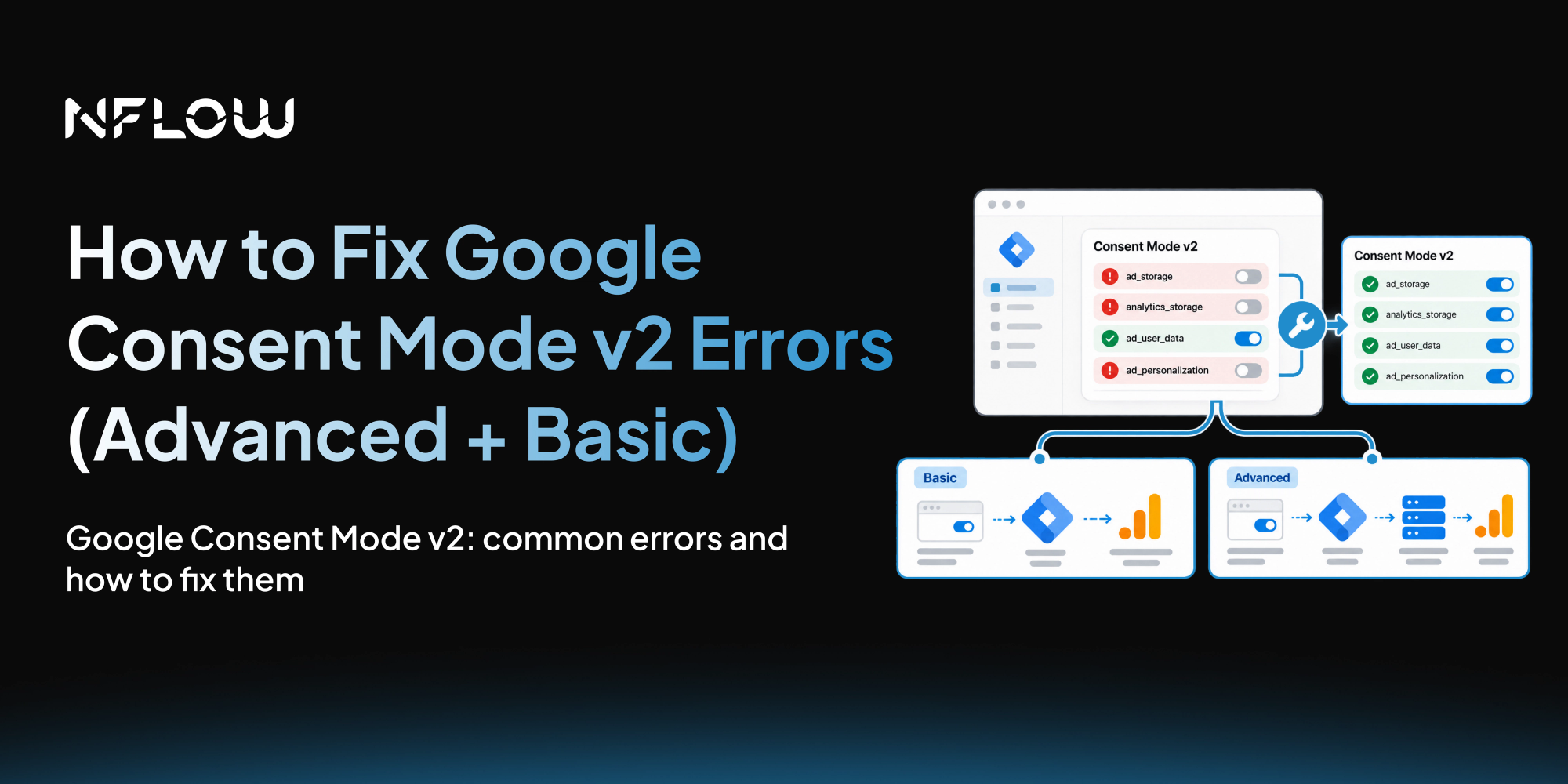
Basic Consent Mode: Google tags do not load or fire until consent is granted. If the visitor says no, Google receives nothing, not even a ping. It is the simplest setup and the one legal teams love. It also makes visitors who decline consent invisible to Google. If 40 percent of your EEA visitors decline, you lose 40 percent of that attribution data entirely.
Advanced Consent Mode: Google tags load immediately but respect the consent state. When consent is denied, tags send cookieless pings, anonymized signals with timestamps, browser and device types, referrer, and consent state, with no cookies and no identifiers. Google's conversion and behavioral modeling uses those pings to fill the gap. Google's published figure is that Advanced mode recovers roughly 65 percent of the conversions Basic mode would lose.
The choice matters more than most teams think. The agency pattern we see is a team approving "block scripts until consent" because that sounds safer, then wondering why Google Ads conversions sit 30 percent below CRM orders. For Google tags, Advanced mode is usually the right default. Ask your legal team first if pings worry them. Then stop blocking.
Error 1: gtag() Command Disallowed, Consent Not Set
The error: gtag() command disallowed: 'consent' not set
Where it shows: browser console, usually on a GA4 page view or event.
What it means: a Google tag tried to send data before any default consent command existed on the page. Google's framework drops the payload rather than guess. Every hit from that session is gone before it starts.
Confirm it: In the console, type dataLayer and press Enter. You should see a consent entry with "default" early in the array, at index 0 or 1. If the first entry is js or config, your default command is missing or sitting too low in the HTML.
The fix: The default must be the first Google related script in the head, above the GTM loader:
<script>
window.dataLayer = window.dataLayer || [];
functiongtag(){dataLayer.push(arguments);}
gtag('consent', 'default', {
'ad_storage': 'denied',
'ad_user_data': 'denied',
'ad_personalization': 'denied',
'analytics_storage': 'denied'
});
</script>
<!-- then your GTM container snippet -->
No wait_for_update needed here. This snippet runs synchronously and sits above the GTM loader, so the default is registered before any tag initializes. Reserve wait_for_update for consent platforms that load asynchronously, or set it inside the GTM Consent Mode tag, which is where you will meet it again in Error 2.
Error 2: A Tag Reads Consent Before the Default Is Set
The error: A tag read consent state before a default was set
Where it shows: GTM Preview, Errors tab, or console warnings.
What it means: this one is a Consent Mode v2 guardrail. Telemetry noticed at least one tag checked consent before any default command ran, so every tag on the page now sits in an undefined consent state for that session. Not cosmetic. Tags can fall back to implicit defaults, tracking when they should not, or missing data when they should.
The four causes, in the order we find them:
- The default command is missing entirely: Nothing in the dataLayer before the tags load.
- The default is set after GTM loads: The consent platform calls its script further down the page, or inside a deferred or async script that resolves after GTM has already initialized.
- The consent platform loads asynchronously: A script async loader races the GTM snippet. Whatever runs first wins, and the tags in between see an undefined state.
- Two consent scripts are fighting: A legacy banner you forgot to remove plus the new consent platform, both writing different defaults. The last writer wins and the first tag reader still loses.
How to Fix:
- In GTM, go to Tags, create a new tag using the Consent Mode (Google) template.
- Set the defaults to denied for ad_storage, ad_user_data, ad_personalization, and analytics_storage.
- Add wait_for_update of 500 milliseconds.
- Set the trigger type to Consent Initialization, All Pages. Not Page View, not DOM Ready. This trigger is guaranteed to run before every other tag in the container.
- Region scope it if you only show a banner in the EEA and UK. Everyone else can keep a granted default.
- Publish, then confirm in Preview that this tag fires first in the timeline.
Once GTM owns the default, the consent platform only needs to send update calls after a choice, which has no ordering constraints at all. Remove the legacy script entirely. One source of truth. If your account runs advertising tags, our Floodlight tag setup guide shows the same container mechanics from the tag side.
Error 3: Visitors Click Accept and Google Never Hears About It
Where it shows: nowhere, which is why it survives for months. The banner hides, the site remembers the choice, and the dataLayer never changes.
What it means: the button updates the interface but never calls Google. Consent stays denied forever, so the site collects nothing from anyone who declines, and your analytics start looking broken in a way nobody can explain.
Confirm it: Click Accept with DevTools open, then check the dataLayer again. A working setup shows a second consent entry with "update" and the four signals granted. If you only ever see the original "default" entry, the update call is not wired.
The fix: Connect the button's handler directly to the consent API:
<script>
functiononConsentAccept(){
 gtag('consent', 'update', {
 'ad_storage': 'granted',
 'ad_user_data': 'granted',
 'ad_personalization': 'granted',
 'analytics_storage': 'granted'
 });
 // then persist the choice and hide the banner
}
functiononConsentReject(){
 gtag('consent', 'update', {
 'ad_storage': 'denied',
 'ad_user_data': 'denied',
 'ad_personalization': 'denied',
 'analytics_storage': 'denied'
 });
 // then persist the choice and hide the banner
}
</script>
A UI state change alone never reaches Google. The call, with the categories the visitor actually chose, is the whole job. If you accept only analytics, grant only analytics_storage and keep the advertising signals denied.
Error 4: Tags Fire Before the Visitor Chooses
Where it shows: Network tab, usually after someone reads their privacy policy and panics.
What it means: either your setup is broken, or your setup is Advanced mode and you expected Basic. These look identical from the outside. The difference is in the payload.
The 30 second test: Open a fresh incognito window, open DevTools, filter the Network tab for collect or gtm.js, and reload without touching the banner.
- Requests carry a gcs parameter, a short encoded consent state. That is Advanced mode's cookieless ping working as designed. Not a leak. Four values cover the common combinations:
G101 is the rare pairing, analytics denied while advertising cookies are allowed. Run into it and you are looking at a site that blocks measurement but permits ad targeting, worth recognizing before you chase it as a bug.
- Requests go out with full payloads and no gcs parameter. Tags are ignoring consent entirely. Something in the chain is not connected.
A second version of this error: the consent platform itself was never wired to Google's consent API. It blocks nothing, it signals nothing, it just renders a banner. That happens after a banner migration, a GTM container rebuild, or a disabled auto blocking feature. Every major platform, Cookiebot, OneTrust, Termly, Usercentrics, ships a native Consent Mode v2 integration. Reconnect it rather than building a custom bridge from scratch.
The fix: if you wanted Basic mode, gate every Google tag so it waits for the consent grant instead of firing on Page View. If you wanted Advanced, leave the tags alone and verify the gcs pings instead. And remember that Consent Mode only governs Google tags. A Meta pixel, a session recorder, or a chat widget will not read these signals. Gate every tag that is not Google's in its own right, through your consent platform's script blocking or a trigger that fires only after consent.
Error 5: ad_user_data and ad_personalization Never Appear
Where it shows: the dataLayer default entry only lists ad_storage and analytics_storage.
What it means: your consent platform is still speaking v1. It looked fine in 2023. Today it means Google Ads receives no consent signal for user data or personalization, and quietly disables the features built on them: Customer Match uploads, Similar Audiences, remarketing list refresh, audience based bidding. The nastiest version of this is partial data, where the platform sends the two old signals but not the two new ones. Smart Bidding treats that as a weaker signal than no data at all, and the algorithm starts behaving strangely.
Confirm it: Check the consent default entry in the console for all four keys. Check the GTM template your consent platform uses, some legacy templates were never updated.
The fix: Update the consent platform's configuration, or switch its GTM template to a current one that maps all four signals. Then run the console check again. Four keys, four values, denied before the choice and granted after it.
Error 6: Tag Diagnostics Reports a 0% Consent Rate
Where it shows: Tag Diagnostics in Google Ads, sometimes as "consent not configured" or a 0 percent consent rate for specific regions.
What it means: Google's tags rarely see a valid consent state in real sessions, even when the banner works. The usual suspects:
- The default is missing, so tags run on implicit values.
- A conversion snippet is hardcoded in the page HTML, bypassing GTM's consent checks entirely. Every Google tag belongs inside GTM.
- Consent updates are fired on a transition page or right as the page unloads. Google documents both failure modes: an update logged on the page where the choice happened is safe, an update queued as the browser tears down gets cancelled mid flight, and sessions lose their session_start event.
- A region scoped default that grants everyone else. Denied for the EEA, granted for the rest of the world, banner visible everywhere. Outside Europe you get cookies before any choice, which is the opposite of what the banner promises. If the banner shows everywhere, the default should be denied everywhere. Region scoping only makes sense when the banner itself is region scoped.
The fix: set the denied default and the update on every page, persist the stored choice and reapply it on every page load, fire updates well before navigation, and move hardcoded snippets into GTM. Then give Google time. Tag Diagnostics needs several days of clean signals before it reassesses your setup, so the alert usually clears about a week after a correct fix.
Google Consent Mode v2 Implementation Checklist
- Default consent state: A consent entry with default sits at index 0 or 1 in the dataLayer, before any config or event command.
- All four signals denied: ad_storage, analytics_storage, ad_user_data, and ad_personalization all read denied before the visitor makes a choice.
- Accept and Reject both wired: Accept pushes gtag('consent', 'update', ...) with the signals granted, Reject pushes them denied, not just a UI change.
- Preference persistence: The visitor's choice is stored in a first party cookie and reapplied on the next page load before any tag fires.
- No data before choice: Fresh incognito session shows no _ga cookie and no full payloads to Google domains before the banner is answered.
- Advanced mode pings: If running Advanced mode, Network tab shows gcs pings (G100 all denied, G111 all granted) instead of raw tracking requests.
- Per tag consent settings: GA4 event tags require analytics_storage, Ads conversion tags require ad_storage and ad_user_data, remarketing tags add ad_personalization.
- GTM Preview is clean: No consent ordering errors in the Errors tab, the Consent Initialization tag fires first, and DebugView events carry the expected analytics_storage state.
Why These Errors Stay Hidden, and What to Do About It
The pattern behind every error on this page is a silent failure. Nothing goes red, spend stays constant, and the numbers only disagree when you compare Google Ads attributed conversions against actual orders. If that gap sits above 15 percent for EEA traffic, consent mode is usually the cause, not your offer.
The fix costs an afternoon, but the verification habit has to last. Run the console check after every consent platform update, every GTM container rebuild, and every tag migration, because those are the moments consent wiring quietly breaks.
If tracing signal paths is not how your team wants to spend its afternoons, this is exactly the kind of work we do as part of conversion tracking audits. We map your banner, your GTM container, and the actual signal flow, then hand over a fix list that moves the numbers. 
Frequently Asked Questions
Is Google Consent Mode v2 mandatory?
For sites serving EEA and UK traffic with Google Ads or GA4 personalized features, effectively yes since March 2024. Without the ad_user_data and ad_personalization signals, audience building, remarketing, and some conversion features degrade or stop. Enforcement runs through Google's user consent policy and the Digital Markets Act.
What is the difference between Basic and Advanced Consent Mode?
Basic blocks Google tags until consent is granted, so denied visitors send nothing at all. Advanced loads tags immediately but respects the state, sending cookieless pings that power Google's conversion and behavioral modeling, which recovers roughly 65 percent of the conversions Basic loses. Pick Basic when legal demands the strictest posture, Advanced when you want measurement to survive consent refusal.
Why does the gtag() consent not set error appear?
A GA4 or Ads tag fired before any default consent command existed on the page, so Google dropped the payload. The default call must sit above the GTM loader in the head, or run through GTM's Consent Initialization trigger, which guarantees the order regardless of how other scripts load.
Why is my cookie banner not sending consent updates to Google?
The most common root cause in our audits: the banner was never connected to the consent API. It stores the choice, hides itself, and never calls gtag('consent', 'update', ...). Click through with DevTools open and check the dataLayer for a second entry with update. No entry means the button only changed the interface.
Which consent platforms support Consent Mode v2?
Cookiebot, OneTrust, Termly, Usercentrics, Cookie Information, Complianz, and iubenda all ship v2 support today, among others. The test is simpler than the list: open the console and confirm the default entry contains all four signals. If two are missing, your platform or its template is still on v1.
Do I need a consent platform to use Consent Mode v2?
You need a consent mechanism, not necessarily a platform. A first party banner that sets a denied default and sends updates on choice is valid. A platform earns its place by blocking scripts that Google's signals do not govern, which matters the moment Meta, TikTok, or session recording tools are on the page.
Why does Tag Diagnostics show a 0% consent rate?
Google rarely saw a valid consent state in real sessions. Check for a missing default, hardcoded Google snippets outside GTM, updates fired during page transition, or a region scoped default that grants most visitors. Fix, then wait about a week; the alert clears once enough clean signals accumulate.
Does a denied default break GA4 reporting?
No. GA4 still receives cookieless pings, so page views and conversions are counted without identifying the visitor, and behavioral modeling fills in users and sessions once a property clears Google's thresholds. What a denied default breaks is the illusion of full cookie based data, which is the point.